AI TOOL / #10222
SlidesToVideos.com
A platform that transforms Google Slides into engaging AI videos, complete with voice and customized styles.
Introduction
AI platform to convert Google Slides into engaging AI videos with voiceovers and styles.
What is SlidesToVideos?
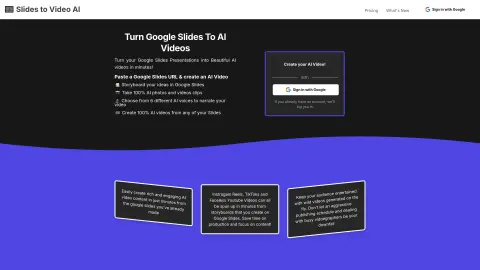
SlidesToVideos is an AI-powered platform that enables users to convert Google Slide presentations into engaging AI videos. It allows users to create storyboards for multi-scenario videos using slides, select animations or static images, choose from six different AI voices, and customize the video format via various aspect ratios and styles. The text on the slides serves as a guide, while the speaker’s notes can be used for voice-over narration.
How to use SlidesToVideos?
Users can paste the URL of a Google Slide presentation into SlidesToVideos to create a slide scenario, generate AI-generated images and animations, use speaker notes to produce text-to-speech narration, and then create the final video. The platform offers the option to sign in using Google accounts and provides guidance throughout the process of creating the first video scenario, allowing users to repeat this steps for all their slides.
The core functionality ofSlidesToVideos
Converting Google Slides into AI-generated videos
AI-based image and video editing capabilities
Text-to-speech narration with AI-generated voices
Customizable proportions and styles
Multi-scenario video creation
AI-based image and video editing capabilities
Text-to-speech narration with AI-generated voices
Customizable proportions and styles
Multi-scenario video creation
Before using it to create vertical-short-form dramas, you can check in TVLab how popular shows on the same theme begin and at which episode the plot takes a turn. Then, select an inspiration card with a detailed breakdown of the scenes and use it to generate each sequence one by one, according to the camera angles specified in the card.
Related
RingleDingle
An artificial intelligence-based electronic greeting card service that offers personalized poems, audio files, and images.
AI Content Labs
AI content creation platforms integrate multiple AI providers, enabling faster, more affordable, and easier content generation.
makeaudio
An AI-powered text-to-speech converter supporting 16 languages and natural voice options.
CPAIT app
AI applications for Chinese pronunciation improvement, providing immediate feedback to help enhance the accuracy of Mandarin pronunciation.
PodScribe.IO
PodScribe.IO transforms podcasts into actionable knowledge through AI-powered transcription and analysis tools.
Interworky
AI voice chatbot platform for ...