AI TOOL / #10274
Frame AI
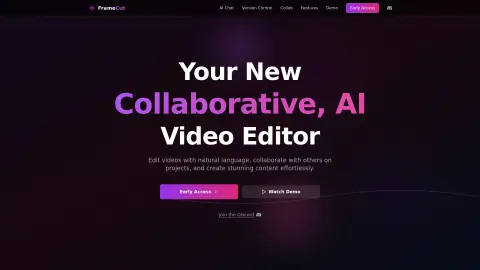
An AI-powered video editor that supports natural language-based editing functions as well as the use of AI agents.
Introduction
AI-powered video editor with natural language editing and AI agents.
What is Mosaic AI?
Mosaic represents a new paradigm in video editing. It is a video editor that revolves around AI-powered chat interfaces and version control systems. You can edit videos using natural language commands, collaborate with others, and create content effortlessly. Mosaic utilizes AI agents to significantly speed up the editing process – reducing the time required from several hours to just a few seconds. Users can construct their videos by adding individual “blocks,” with each block representing a specific editing action.
How to use Mosaic AI?
Use the visual canvas to drag and drop various blocks in order to automate your editing workflow. Configure each block to specify how the output should be generated. Connect these blocks in sequence to define the entire editing process. Edit videos using natural language through the chat interface; AI will automatically identify relevant elements and perform necessary edits based on the content of the video. Additionally, you can use chat prompts and application-based editing tools to assist this process.
The core features of Mosaic AI
AI-powered video editing
Natural language editing via the chat interface
A visual canvas designed for automating work processes
An AI agent designed for automating editing tasks
version control
Natural language editing via the chat interface
A visual canvas designed for automating work processes
An AI agent designed for automating editing tasks
version control
Video tools are designed to handle visual aspects of content, but the actual stories still need to be created separately. TVLab has compiled a collection of currently popular short-form dramas and common story tropes (such as coming-from-backwards success, hidden identities, contract marriages, etc.). Each inspiration card includes vertical-cut scene breakdowns and visual cues.
Related
cartesia.ai
A voice AI platform that provides developers and interactive voice applications with highly realistic audio solutions.
HoldTalk
Use the Mac’s voice input feature by holding down the FN key while speaking.
BlessingAI
Artificial intelligence solutions for content creation, optimization, and management, offering a variety of tools.
Patsa – AI-powered Meeting Copilot
A Chrome extension that enables real-time transcription and AI-powered Q&A during online meetings.
Speechmark
Mac local AI conference minutes
Origlio – your audio notes manager
Audio message transcription services available on WhatsApp and Telegram, with AI-powered features.