AI TOOL / #02447
Julius AI – Analyze Google Sheets with ChatGPT
An artificial intelligence data analysis tool designed for use with Google Sheets.
Introduction
AI-powered data analysis tool for Google Sheets.
What is the Julius AI Chrome extension/plug-in?
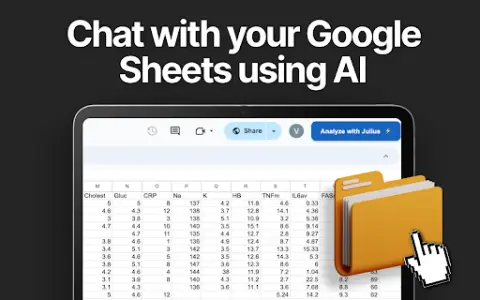
Julius is a data analysis tool powered by artificial intelligence. It utilizes ChatGPT and Anthropic to assist users in visualizing and analyzing their Google Sheets data. This Chrome extension enables users to connect their Google Sheets to Julius AI with just one click, enabling a range of data analysis tasks, the creation of dynamic visuals, easy extraction of valuable insights, and the generation of AI-generated reports.
How to use the Julius AI Chrome extension/plug-in?
1. Click “Add to Chrome”.
2. Open the Google Sheet you wish to analyze.
3. Set the sharing options of that Google Sheet to public.
4. In the top-right corner of the Google Sheet, click “Analyze cells A1:B5 using Julius”.
The core functions of the Julius AI Chrome extension/plug-in
Multifunctional data analysis based on GPT-4
Dynamic graphic generator for basic and advanced charts
Intuitive controls for data grouping, filtering, and transformation
AI-powered report writing
Dynamic graphic generator for basic and advanced charts
Intuitive controls for data grouping, filtering, and transformation
AI-powered report writing
Related
electroneek.com
An AI-driven automation platform that simplifies desktop and SaaS integration, offering AI agents and RPA solutions.
pareto.io
A generative AI platform designed to facilitate safe, cost-effective, and rapid adoption of AI technologies.
Invoicer.ai
AI-based invoice and quotation tools for small businesses
Agibot
The Mac personal AI assistant that is always available in the menu bar.
NextJob
NextJob: an AI-powered job search organization tool for tracking applications and improving interview success rates.
CheatGPT
An AI assistant designed for students, developers, and learners, equipped with advanced learning tools.