AI TOOL / #02529
Text to Google Calendar
Chrome extension: Allows users to create Google Calendar events directly from highlighted text.
Introduction
Chrome extension to create Google Calendar events from highlighted text.
What is the Text to Google Calendar AI Chrome extension/plug-in?
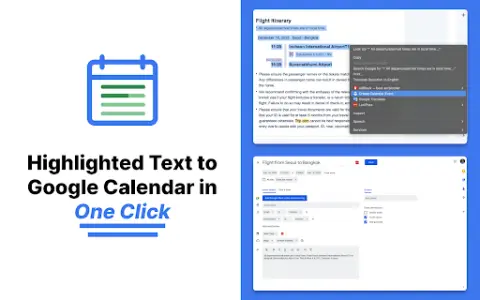
Text to Google Calendar is a Chrome extension designed to simplify the process of creating events on Google Calendar. It allows users to highlight text from emails or web pages and convert that text into calendar events with just one click, eliminating the need to manually copy and paste event details.
How to use the Text to Google Calendar AI Chrome extension?
Install the Text to Calendar Chrome extension. Highlight the relevant text containing event details (date, time, description, location) on a web page or in an email. Click the extension icon, and it will automatically use the extracted information to create a Google Calendar event.
The core functionality of the Text to Google Calendar AI Chrome extension.
Click to create an event based on the highlighted text.
Automatically fill in the time zone, location, and event details.
Easily create multiple and duplicate calendar events.
Automatically fill in the time zone, location, and event details.
Easily create multiple and duplicate calendar events.
Related
PaperGen
An AI writing assistant designed to help create high-quality, plagiarism-free papers and articles, featuring automated citation functionality.
Shareable Calendar for Scheduling
A shareable calendar for collaborative scheduling without registration or login.
New instant listening recording
AI-based recording and minutes generation for meetings
Quickchat AI
A code-free platform designed for creating custom AI agents tailored to specific business needs, offering a wide range of configuration options.
Blooper
An all-in-one pre-production assistant for video projects.
PDF2Anki
The AI learning assistant transforms learning materials into flashcards, quizzes, and study guides.