AI TOOL / #02536
GPToDo
Convert the responses from Chat GPT into calendar tasks that support drag-and-drop functionality.
Introduction
Converts Chat GPT responses into calendar tasks with drag-and-drop functionality.
What is the Convert Chat GPT to-Do Calendar Tasks AI Chrome extension/plug-in?
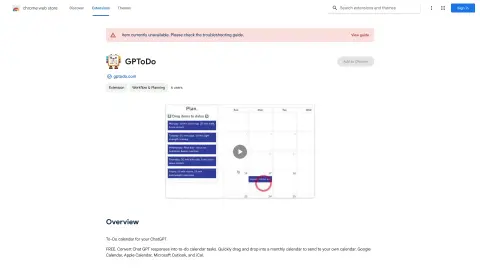
This tool enables users to convert Chat GPT’s responses into tasks for their to-do lists and calendars. It offers a user-friendly drag-and-drop interface that allows users to add these tasks directly to their monthly calendars. Once created, these calendar entries can be shared with various calendar applications such as Google Calendar, Apple Calendar, Microsoft Outlook, and iCal.
How to use the Convert Chat GPT to-do Calendar Tasks AI Chrome extension/plug-in?
Use Chat GPT to generate the task. Then, copy and paste the response into this tool. Drag the task onto the desired date in the monthly calendar. Finally, export the calendar to your preferred application (Google Calendar, Apple Calendar, Microsoft Outlook, or iCal).
The core functionality of the Chat GPT-to-do-list conversion extension/plug-in for Chrome.
Convert Chat GPT’s responses into calendar tasks.
With a convenient drag-and-drop interface, scheduling tasks has never been easier.
Supports a variety of calendar applications, including Google Calendar, Apple Calendar, Microsoft Outlook, and iCal.
With a convenient drag-and-drop interface, scheduling tasks has never been easier.
Supports a variety of calendar applications, including Google Calendar, Apple Calendar, Microsoft Outlook, and iCal.
Related
ASSISTA AI
Assista AI automates tasks across multiple applications, enhancing productivity and streamlining work processes.
Lindy
A code-free platform that enables users to create custom AI agents for task automation, featuring more than 3,000 available integrations.
CloverAI
An AI-based schedule management tool that incorporates features such as a calendar, analysis tools, a pomodoro timer, and gamified tasks.
Fine-Tuner AI
Synthflow AI uses customized AI voice agents to automate telephone calls, eliminating the need for any coding.
Mystic Quill
An AI-powered LinkedIn tool designed for content creation, scheduling, and performance analysis.
Chatfiliate
A task automation platform that enables one-click deployment of AI agents.