AI TOOL / #02660
Grok Button
A browser extension that provides quick access to Grok AI.
Introduction
A browser extension for quick access to Grok AI.
What is a Grok Button?
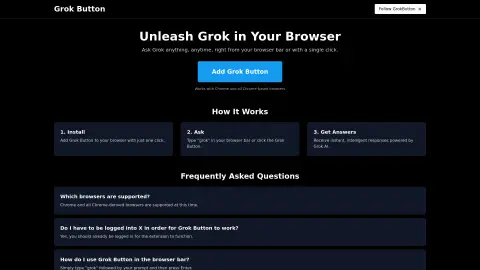
The Grok button is a browser extension that seamlessly integrates the powerful capabilities of Grok AI into your web browser. Users can submit their questions by entering “grok {your question}” in the browser address bar or by clicking the Grok button, and they will receive instant, intelligent responses.
How to use the Grok Button?
Install the Grok button extension. To use it, enter “grok” followed by your question in the browser address bar, then press Enter, or click the Grok button.
The core functionality of the Grok Button
Quickly access Grok AI from your browser.
Answer questions immediately
Integration with Chrome and Chrome-based browsers
Answer questions immediately
Integration with Chrome and Chrome-based browsers
Related
Luminal
An AI assistant designed to help clean, transform, and analyze spreadsheets more efficiently.
The North
An AI-powered OKR and project management platform designed to assist data-driven teams in achieving their goals.
Voice Inbox
The Voice inbox captures ideas through voice recognition and transcribes them into a diary.
SkedPal
Intelligent calendar apps use artificial intelligence to schedule tasks based on pre-defined time blocks.
LazyApply
An artificial intelligence-powered automation tool for job applications enables users to submit applications for thousands of jobs in a matter of minutes.
Tarta AI
A job search platform that aggregates and removes duplicates every hour.