AI TOOL / #03163
FuseBase Clarity – Capture Step-by-Step guides, SOP and tutorials
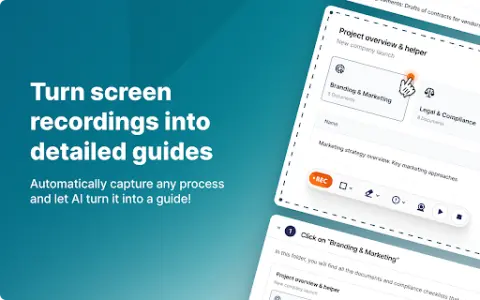
Screen recording tool that automatically creates guides with AI editing and sharing capabilities.
Introduction
Screen recording tool that automatically creates guides with AI-powered editing and sharing.
What is Fusebase Clarity ai chrome extension/plugin?
Fusebase Clarity automatically records your screen and automatically creates a guide with screenshots and instructions. It's possible to edit instructions using an AI assistant, add new elements like tips, tables, and files using the powerful editor, and share guides with friends and colleagues or create your own knowledge base.
How to use Fusebase Clarity ai chrome extension/plugin?
Record your screen and Fusebase Clarity will automatically generate a guide. Edit instructions with an AI assistant, add elements using the editor, and share guides with others.
Core features of Fusebase Clarity ai chrome extension/plugin
Automatic creation guide from screen recording
Artificial Intelligence Powered Description Editor
Powerful editor for adding elements
Convenient sharing and knowledge base creation
Artificial Intelligence Powered Description Editor
Powerful editor for adding elements
Convenient sharing and knowledge base creation
Related
Healactively back wellness app
An AI-powered personalized back health application that offers physical therapy, relaxation techniques, and lifestyle guidance.
Wispy-1 – Personal AI agent for Chrome
The personal AI assistant available in your web browser enhances your AI-powered experience.
GitMind Chat
An AI-based platform for mind mapping, brainstorming, note-taking, and presentation creation.
PitchYourIdea.ai
An artificial intelligence platform that transforms ideas into presentations within just a few minutes.
Interflexion
AI-based role-playing activities help in developing leadership skills and interpersonal communication abilities.
AI Summarizer best
Free AI tool designed to summarize long articles and texts, supporting multiple languages.