AI TOOL / #03399
Snipo
Snipo allows users to record video notes with timestamps in Notion and generates AI-based flashcards as a result.
Introduction
Snipo takes timestamped video notes in Notion with AI flashcards.
What is Snipo?
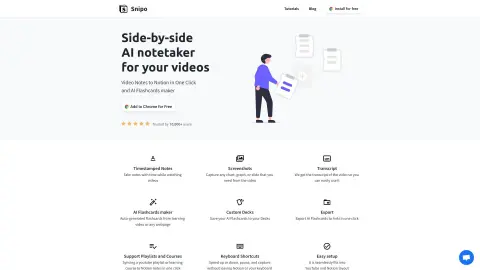
Snipo is a tool that allows users to take timestamped notes directly within Notion while watching videos. As users navigate through the content, the tool synchronizes seamlessly with the course material. Its features include split-screen mode, screenshot capture, and video clip recording. It also enables the creation of AI flashcards from learning videos or any web pages.
How to use Snipo?
Install the Snipo Chrome extension. When watching videos on platforms such as YouTube, Udemy, Coursera, Skillshare, or LinkedIn Learning, use Snipo to take timestamped notes, which will be automatically synchronized to your Notion workspace. You can also capture screenshots and video segments, and use these to generate AI flashcards based on the video content.
The core functions of Snipo
Take notes with timestamps in Notion.
AI flashcard generation
Screenshot and video clip capture
Accessible text transcription
keyboard shortcuts
Supports the playback of playlists and courses.
AI flashcard generation
Screenshot and video clip capture
Accessible text transcription
keyboard shortcuts
Supports the playback of playlists and courses.
Related
PowerVoice
PowerVoice is an AI coach that provides feedback to help improve communication skills.
edu720
An artificial intelligence-based nanolearning platform, designed for labor force education and training.
AI Added to Search
Add the AI answer at the top of the search results.
Canvas AI Builders Program
A two-week sprint program aimed at taking AI agents from idea to production-ready.
Algor Education
An AI platform designed to create learning guides from various types of content.
Eurekaa
An artificial intelligence-powered platform that enables the rapid creation and verification of online courses and books.