AI TOOL / #04214
Spot AI
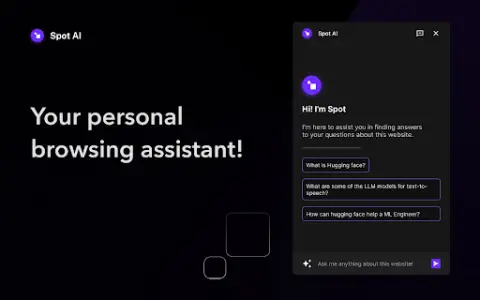
Spot AI reads web pages to answer your questions.
Introduction
Spot AI reads webpages to answer your questions.
What is the Spot AI Chrome extension/plug-in?
Spot AI is a browsing assistant that can read web content and answer questions based on that information. It enables users to easily conduct research and obtain information. It is available as an extension for Chrome and is also compatible with Brave and Arc browsers. Once installed, it can be activated by using the CMD/CTRL + K shortcut key.
How to use the Spot AI Chrome extension/plug-in?
Install the Spot AI extension in Chrome, Brave, or Arc. After installation, activate it by using CMD/CTRL + K. For the best experience, fix the extension in your browser. Then, pose your question, and Spot AI will read the relevant text on the web page to provide you with an answer.
The core functions of the Spot AI Chrome extension/plug-in
Read a web page and answer questions based on its content.
Compatible with Chrome, Brave, and Arc browsers.
Launch it by pressing CMD/CTRL + K.
Compatible with Chrome, Brave, and Arc browsers.
Launch it by pressing CMD/CTRL + K.
Related
Transcribing music using bubble sound technique
An AI-based music transcription practice tool that can identify musical scores automatically
Kai by Tettra
Artificial intelligence-based knowledge management system helps teams organize and share information.
Global AI & Privacy Laws Directory
A comprehensive directory of global privacy and artificial intelligence laws for easy search and comparison.
Weet Background Noise Cancellation
Weet is an AI-powered video recording and editing platform that lets users create interactive training videos and build knowledge video libraries.
Lilys AI
An AI-based summarization tool, suitable for use with videos, audio files, PDF documents, websites, and text.
Sukha
Online collaborative communities that provide tools to enhance productivity and focus when working remotely.