AI TOOL / #05876
Do Browser
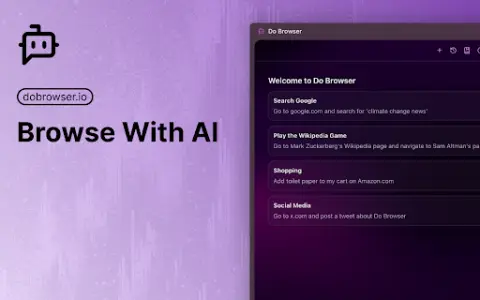
An AI-powered Chrome extension that enables control of the browser via natural language commands.
Introduction
AI-powered Chrome extension for browser control using natural language.
What is a Do Browser AI Chrome extension/plug-in?
Do Browser is an AI-powered extension for Chrome that allows users to control their browser using natural language commands. It provides quick access through the address bar or keyboard shortcuts and also supports voice commands. Its purpose is to simplify tasks such as filling out forms, shopping, and navigating complex web interfaces.
How to use the Do Browser AI Chrome extension/plug-in?
Enter “do” in the address bar or use the shortcut keys Cmd+K/Ctrl+K to activate the Do Browser. Then, use natural language commands to instruct the extension to perform tasks within the browser.
What are the core functions of browser AI Chrome extensions/plugs?
Natural Language Browser Control
Access via the address bar and keyboard shortcuts
Voice command support available
Access via the address bar and keyboard shortcuts
Voice command support available
Related
Condensify
Condensify provides article summaries and audio readings for easy browsing.
ChatGPT Read It!
An extension that adds a reading aloud feature to ChatGPT, in order to enhance its accessibility.
PinMy
A visual collaboration platform designed for image annotation, feedback, and team management.
WhisperTranscribe
Artificial intelligence-based transcription and content generation service with high accuracy and multiple functions.
GenVid
An AI-driven platform provides personalized ABM login pages to enhance external conversion rates.
HoldTalk
Use the Mac’s voice input feature by holding down the FN key while speaking.