AI TOOL / #06057
Obiklip
A video editor for presentation content, featuring automatic transcription and editing capabilities.
Introduction
Video editor for speech content with auto-transcription and clip creation.
What is Obiklip?
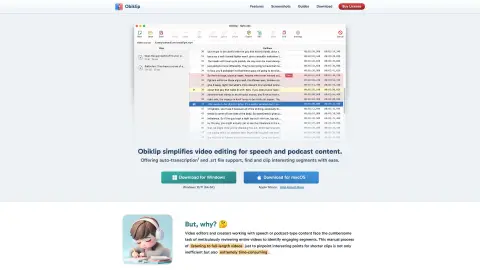
Obiklip simplifies the video editing process for presentations and podcast content. It offers automatic transcription and support for .srt files, making it easy for users to locate and edit interesting segments. Suitable for both Windows and macOS, Obiklip makes video review, identification of key moments, and creation of engaging short clips much more straightforward by automatically transcribing the video content and providing a navigable text list.
How to use Obiklip?
Obiklip automatically transcribes the content of your videos, generating a navigable list of text. You can quickly browse this transcript to identify key topics and interesting segments, mark the beginning and ending points of these sections, and then use this information to create shorter videos.
The core functions of Obiklip
automatic transcription
The .srt file format is supported.
Navigable transcription text
Simple and easy video editing process
Audio preview
Batch export
The .srt file format is supported.
Navigable transcription text
Simple and easy video editing process
Audio preview
Batch export
Related
grain.co
An AI note-taking assistant designed for meeting summaries, insights, and guidance.
AI Clone Voice Free
A free AI platform for voice cloning, as well as text-to-speech and speech-to-text conversion services.
AIflixhub
An AI platform designed for creating, watching, and sharing movies generated by artificial intelligence.
Lecha – AI Note Taker
AI-based learning tools that generate notes, flashcards, and quizzes through lectures, videos, and images.
Vocha | Voice for ChatGPT
Vocha is a voice input extension specifically designed for ChatGPT, with an emphasis on privacy and ease of use.
FluentWork AI
Voice control and assistance features specifically designed for Google Meet meetings.