AI TOOL / #06135
Ask Screenshot for ChatGPT
Improve ChatGPT productivity by analyzing screenshots and selected text.
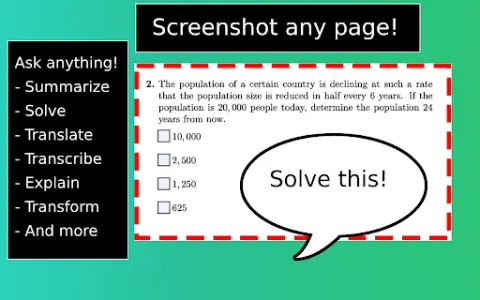
Introduction
Enhances ChatGPT productivity by analyzing screenshots and selected text.
What is the Ask Screenshot AI Chrome extension/plugin?
Ask Screenshot is a tool designed to improve productivity in ChatGPT, allowing users to analyze screenshots or selected text directly within ChatGPT. It offers features such as summarization, transcription, and translation, making it easier to extract information and process content from visual and textual sources.
How do I use the Ask Screenshot AI Chrome extension/plugin?
To use Ask Screenshot, right-click anywhere on any page and hover over Ask GPT to access the available screenshot templates. For selected text, right-click the selected text and hover over Ask GPT to view the available templates.
Core features of the Ask Screenshot AI Chrome extension/plugin
Screenshot and analyze: Take a screenshot and automatically open it in ChatGPT for analysis.
Text selection and analysis: Right-click any selected text to automatically open it in ChatGPT.
Text selection and analysis: Right-click any selected text to automatically open it in ChatGPT.
Related
Merlin Bird ID
Applications that use photographs, audio recordings, and location data for the identification of birds.
rain.agency
RAIN offers voice AI solutions for the medical industry, enhancing efficiency and security.
VoiceDub
An AI platform for creating dubbing, cloning sounds, and text-to-speech conversions.
Potion
AI video platform for personalized sales promotion.
Imagine Studios Ai
An AI studio that provides tools for generating images, videos, audio, voice content, as well as other types of media.
Hoop
An AI-based task management tool that automatically captures tasks mentioned in meetings, emails, and Slack messages.