AI TOOL / #06325
ChatGPT Voice Assistant
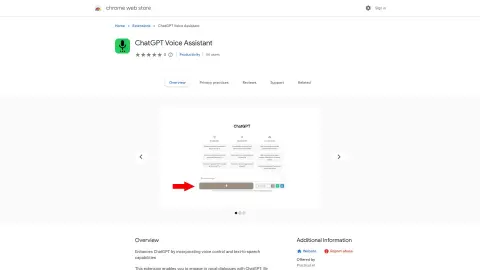
The voice-activated ChatGPT interface supports text-to-speech conversion and multiple languages.
Introduction
Voice-activated ChatGPT interface with text-to-speech and multi-language support.
What is the ChatGPT Voice AI Chrome extension/plug-in?
This tool allows you to capture voice input and send it to ChatGPT. The responses generated by the system can be listened to aloud (this option can be disabled if desired). It supports multiple languages, and you can start capturing voice data by clicking the microphone button or holding down the spacebar.
How to use the ChatGPT Voice AI Chrome extension/plug-in?
Click the microphone button or hold down the spacebar to record your voice input. This tool will send your recorded voice to ChatGPT, which will then read out the response. You can also choose to disable the text-to-speech function if you prefer to read the responses directly.
The core functions of the ChatGPT Voice AI Chrome extension/plug-in
Voice input for ChatGPT
Text-to-speech output generated by ChatGPT
Multilingual support
Capture voice input using the microphone button or the spacebar.
Text-to-speech output generated by ChatGPT
Multilingual support
Capture voice input using the microphone button or the spacebar.
Related
The new Walkai-Talkai
Use a walkie-talkie to remotely control the AI programming assistant.
Insight7
An artificial intelligence-driven customer research tool that enables rapid collection of customer feedback and insights derived from interview analysis.
Podsqueeze
An AI-driven tool that helps podcasters generate and customize a variety of content from audio/video.
Wizardshot
Wizardshot uses screen recording to create step-by-step tutorials.
Transcri
An AI-powered transcription and subtitle generation service that supports over 50 different languages.
Sensei Copilot
An artificial intelligence-based interview assistant that provides structured answers to interview questions in real time.