AI TOOL / #06413
Audiotext AI
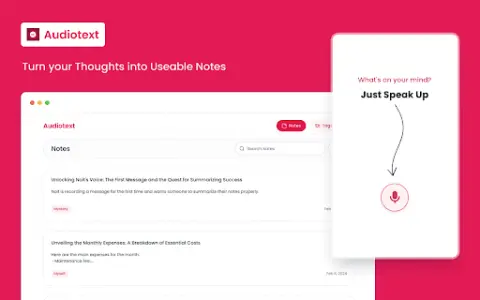
Audiotext AI converts audio to text, removes filler words, and offers multiple transcription styles.
Introduction
Audiotext AI converts audio to text, removing filler words and offering various transcription styles.
What is the Audiotext AI AI Chrome extension/plugin?
Audiotext AI can convert audio into accurate text by removing unnecessary words and generating concise summaries. It allows users to transcribe speech into text, offering multiple styles such as short summaries, bullet points, passive voice, and active voice.
How do I use the Audiotext AI Chrome extension/plugin?
1. Speak naturally, including filler words. 2. Choose a transcription style (short summary, long summary, bullet points, etc.). 3. Click "Transcribe."
Core features of the Audiotext AI Chrome extension/plugin
Audio to text
Remove unnecessary words.
Concise Summary
Rewriting with AI for style adjustment
Shareable note link
Remove unnecessary words.
Concise Summary
Rewriting with AI for style adjustment
Shareable note link
Related
BloomNote
An AI-powered learning tool that generates notes, flashcards, quizzes, and podcasts from various learning materials.
Voice DIM
Voice-controlled item management in Destiny 2, designed for quick item transfer and load management.
PlainScribe
PlainScribe offers transcription, translation, and summarization services for audio and video files on a pay-as-you-go basis.
PodBooster
Podcast marketing automation tools for creating content and growing your audience.
Hey Watcher AI
Hey Observer is an AI YouTube video translation tool for seamless multilingual viewing.
Leelo-ai
Leelo AI converts text into natural-sounding speech, supporting a variety of languages and voices.