AI TOOL / #06438
Claude Speech-to-Text
Adding voice input to Claude.ai makes it easier to interact with the system.
Introduction
Adds voice input to Claude.ai for easier interaction.
What is the Speech-to-Text extension/plug-in for Claude.ai and Google Chrome?
This feature adds voice-to-text conversion to the Claude.ai chat system, allowing users to input text by speaking. It enhances accessibility and provides a more convenient way for those who prefer to communicate verbally rather than typing, or for individuals with mobility challenges.
How to use the Speech-to-Text feature of the Claude.ai AI Chrome extension/plug-in?
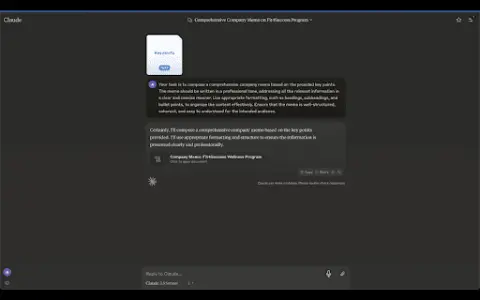
Users can activate the voice-to-text function within the Claude.ai chat interface. Once activated, they can speak into the microphone, and the system will convert their speech into text and send it to Claude.ai.
The core functionality of the Speech-to-Text feature in the Claude.ai AI Chrome extension/plug-in
Voice input for chatting via Claude.ai
Related
The new Sponkly version
Real-time translation, chat, and calls in 32 languages
Veo3Video
AI-powered video generation, featuring synchronized audio and lip movements – all powered by Google’s Veo3 technology.
Circleback
AI-powered meeting recording, transcription, and subsequent automation tasks – compatible with a wide range of platforms.
SendVocal: AI Voice Mail & Transcription
Record voice messages directly through your browser and send them; AI transcription will be performed immediately.
Wavenet for Chrome
An extension to convert selected text into natural audio using Google Cloud TTS.
NaturalReaders
Text-to-speech solutions that utilize artificial intelligence-generated voices, suitable for personal, commercial, and educational use.