AI TOOL / #06631
Voice-to-ChatGPT
Voice-controlled ChatGPT interactions via browser plug-in.
Introduction
Voice-controlled ChatGPT interaction via a browser extension.
What is the Voice-to-ChatGPT ai chrome extension/plugin?
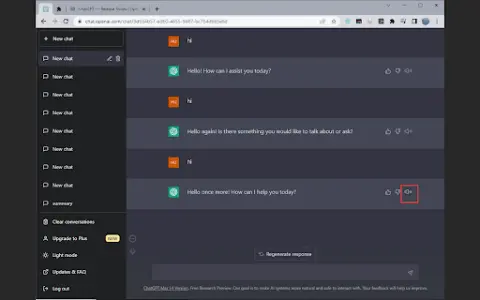
Voice Control ChatGPT is a browser plug-in that allows users to interact with the ChatGPT language model through voice. It leverages Google Chrome's speech recognition and text-to-speech technology to enable users to use voice input and audible replies from ChatGPT. Users can hold down the button to speak their question, release the button to send, and optionally cancel or edit before sending.
How to use Voice-to-ChatGPT ai chrome extension/plugin?
Open the ChatGPT homepage, press and hold the Talk button to speak, and release the button to send your question. You can cancel or edit your entry before sending.
Voice-to-ChatGPT ai chrome extension/plugin core functionality
Voice input to ChatGPT
Text-to-speech output for ChatGPT
Major languages supported
Press and talk function
Text-to-speech output for ChatGPT
Major languages supported
Press and talk function
Related
Murf AI
Versatile AI speech generator for text-to-speech, dubbing and translation.
EzDubs
AI dubbing service: preserves the original voice, supports multiple speakers, and allows for adjustment of video speed.
Santelmo
Music production and sound engineering services powered by AI.
Notes keeper – speech to text
A simple notepad application used for creating, editing, and organizing notes and reminders.
Text Reader AI
Free text-to-speech generator with realistic AI voices for a variety of applications.
AI Content Labs
AI content creation platforms integrate multiple AI providers, enabling faster, more affordable, and easier content generation.