AI TOOL / #06677
Voice Control for Netflix
Use voice control to operate Netflix: play, pause, fast-forward, and more.
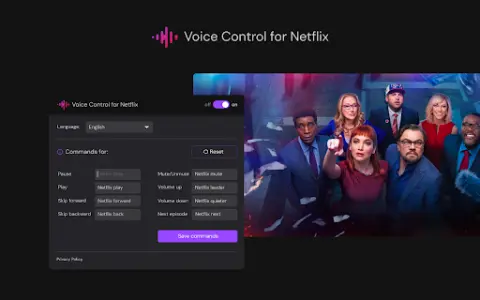
Introduction
Control Netflix with your voice: play, pause, fast-forward, and more.
What is the Voice Control for Netflix AI Chrome extension/plugin?
Netflix’s voice control allows users to manage their Netflix experience via voice commands. This includes tasks such as playing, pausing, and advancing videos, all without the need to use a remote control or touch the screen.
How to use the Voice Control feature for the Netflix AI Chrome extension/plug-in?
Simply enable Netflix’s voice control, and then use voice commands to control playback, navigate the menu, and search for content.
The core functionality of the Netflix AI Chrome extension/plugin for voice control
Use voice control to operate Netflix playback functions (play, pause, fast forward, rewind).
Hands-free navigation, Netflix menu
Voice search for films and TV shows
Hands-free navigation, Netflix menu
Voice search for films and TV shows
Related
Nemesys Labs
A free AI text-to-speech platform, designed for producing natural-sounding audio conversions.
Youtube AI – Learning Mode
An artificial intelligence-based interactive video education platform that offers personalized feedback and learning support.
Kensho Scribe Transcription
Kensho is an AI toolkit designed for data insights, offering features such as transcription, entity recognition, data linking, and PDF extraction.
Person Cloner
Create funny videos and memes by getting your friends to say what you want.
PodBooster
Podcast marketing automation tools for creating content and growing your audience.
AiCogni
An AI chatbot and writing assistant powered by ChatGPT, compatible with both voice commands and the WearOS platform.