AI TOOL / #07092
BlackboxAI
A browser extension that utilizes real-time encoding for assistance.
Introduction
Browser extension for real-time coding assistance.
What is the BLACKBOX AI Extension – an AI add-on/plug-in for Chrome?
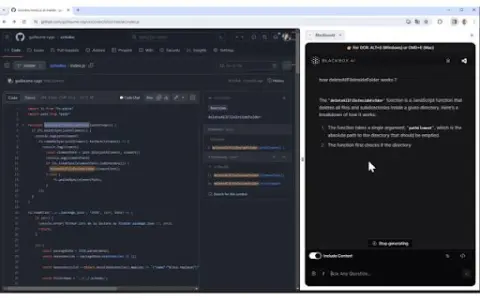
BLACKBOX AI Extension is a tool designed to enhance your coding workflow by providing real-time assistance with code-related questions and suggestions. It is seamlessly integrated into your browser and GitHub, offering features such as code chat, context-aware answers, and OCR (Image-to-Text) functionality.
How to use the BLACKBOX AI Extension for Chrome?
You can use the BLACKBOX AI extension via the browser icon, keyboard shortcuts, or directly within GitHub. Use Code Chat to get answers to common coding questions; enable the “Include Context” option to ask about issues related to the current page, and click the “Code Chat” button on GitHub to inquire about specific code repositories. The OCR function can be activated by pressing CTRL+E (on Windows) or CMD+E (on Mac).
The core functionality of the BLACKBOX AI extension for Chrome.
Code chatting feature assisted by real-time encoding
Answering Questions Based on Context Awareness
Specific code assistance integrated with GitHub
OCR (Image to Text) Function
Answering Questions Based on Context Awareness
Specific code assistance integrated with GitHub
OCR (Image to Text) Function
Related
Cats Eye
AI-powered anti-bullying software for schools that detects and prevents violence.
AnimeGenius – Anime AI Generator
Free AI anime generator – create stunning art works.
AnswersAi
AI-powered tools that provide quick answers to course-related questions.
Modelia
The AI Fashion Model Generator is designed to create stunning visual effects for clothing images.
ImageKit
Real-time media processing APIs and an AI-driven DAM platform for media asset management at scale.
PhotoFairy.ai Quick Access
An AI-powered photo editing and graphic design tool with an infinite canvas.