AI TOOL / #07146
ImageToText
An extension that copies text from images on the internet via the OCR.Space API.
Introduction
An extension to copy text from images on the internet using OCR.Space API.
What is the OCR.Space API AI Chrome extension/plugin?
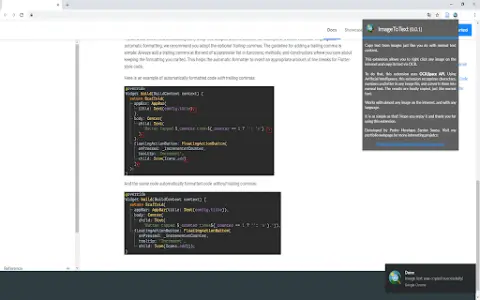
This extension lets you copy text from any image on the internet just like regular text content. Simple—that's the goal of this app. Just right-click the image, select “Copy Image Text,” and you're done… You can use and paste the text you see in that image. It's very useful for extracting text from informative, entertaining, and code-block images. Now you don't have to rewrite everything—with this extension, the problem is solved. To process images, this extension uses the OCR.Space API.
How do I use the OCR.Space API AI Chrome extension/plugin?
Right-click an image, select "Copy Image Text," and then paste the extracted text.
Core features of the OCR.Space API AI Chrome extension/plugin
Copy text from images on the internet.
Related
Applitools Eyes
An end-to-end testing platform based on artificial intelligence that supports visual and functional testing.
YouCam AI & AR Business Solutions
Provide AI and AR solutions in the fields of beauty, fashion, and skin technology, including virtual makeup trials.
Rossum.ai
An AI-based platform that automates the workflow related to transaction documentation, thereby enhancing efficiency and accuracy.
Furniture & Household Item Recognition
An AI-based API designed for identifying, classifying, and counting furniture items and household objects within images.
IngreedyIt
An AI-powered app for analyzing food and cosmetic ingredients.
Image Prompt
An AI-based platform designed for creating and optimizing image prompts generated through artificial intelligence techniques.