AI TOOL / #07156
OCR
An OCR plugin used for the recognition of images and PDF text.
Introduction
OCR plugin for image and PDF text recognition.
What is an OCR Image Recognition Text Plugin, an AI Chrome extension/plugin?
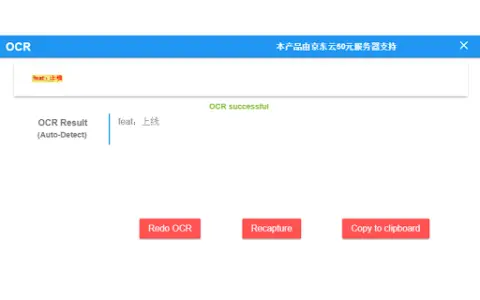
This is an OCR (Optical Character Recognition) plugin for image-to-text conversion. It allows users to capture screenshots and convert images into editable text. It also supports PDF text recognition, enabling users to extract text from PDF documents.
How to use the OCR Image Recognition Text Plugin, an AI Chrome extension?
1. Use the built-in tools of the plugin to take screenshots.
2. The plugin automatically recognizes text within the images.
3. The recognized text is displayed and can be copied or edited.
4. For PDF files, simply upload them to the plugin.
5. The plugin will extract the text from the PDF files.
The core functionality of the OCR Image Recognition Text Plugin, an AI Chrome extension.
Screenshot to Text conversion function
PDF text recognition
PDF text recognition
Related
RapidScan.AI
AI-powered document processing and management enable efficient workflows and data extraction.
Image Translator
Translate the text in images into over 30 languages using OCR and machine translation technologies.
Menukite
An AI-driven digital menu system that enables restaurants to offer online ordering and payment services.
Aestractor – Your AI Gallery
An app that uses AI to identify beautiful photos in your album.
Merlin Bird ID
Applications that use photographs, audio recordings, and location data for the identification of birds.
Rossum.ai
An AI-based platform that automates the workflow related to transaction documentation, thereby enhancing efficiency and accuracy.