AI TOOL / #07177
Chrome Virtual Camera
Use the clock, video file, and background masking options in place of getUserMedia().
Introduction
Replaces getUserMedia() with clock, video file, and background masking options.
What is the getUserMedia() Replacement AI Chrome extension/plug-in?
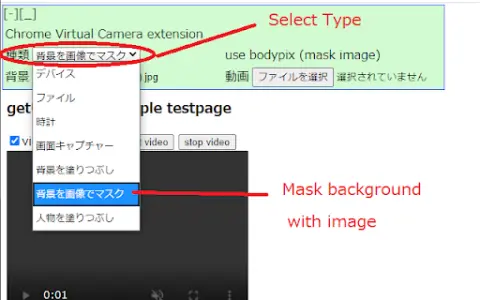
This tool replaces the standard getUserMedia() function, enabling the use of clocks, video files, as well as the tfjs/body-pix technology as background masks for video sources.
How to use the getUserMedia() Replacement AI Chrome extension/plug-in?
This tool intercepts calls to the getUserMedia() function and provides alternative video sources, such as clocks, video files, or video streams with masks using tfjs/body-pix. The specific implementation and configuration details depend on the particular library or technology being used.
The core functionality of the getUserMedia() replacement AI Chrome extension/plug-in
Replace the getUserMedia() function
Provide a clock as the video source.
Provide a video file as the source material for the video.
Implement background masking using tfjs/body-pix.
Provide a clock as the video source.
Provide a video file as the source material for the video.
Implement background masking using tfjs/body-pix.
Related
meals.chat
An artificial intelligence-powered Telegram bot designed to identify the calories, macronutrients, and ingredients contained in dietary photos or descriptions.
O.Translator
AI-based document translation tool that maintains the original format.
Modelia
The AI Fashion Model Generator is designed to create stunning visual effects for clothing images.
Homes Like This
A visual search engine designed to help find properties that are visually similar to those currently on the market for sale.
Image to Caption Tool
Tools powered by artificial intelligence enable the quick and easy creation of captivating image captions.
ImagenATexto
Online tools can convert images into text and support a variety of formats and languages.