AI TOOL / #07225
Save to Kive
An intelligent asset platform that helps creators collect, organize, and collaborate on creative content.
Introduction
Smart asset platform for creators to collect, organize, and collaborate on creative assets.
What is the Kive AI Chrome extension/plug-in?
Kive is an intelligent asset platform designed for creators, with the aim of bringing creative references and assets together in one place. It automatically organizes content through AI-based tagging, advanced sorting algorithms, and powerful search functions. Kive facilitates teamwork, enabling users to create visually appealing board presentations that effectively promote their ideas.
How to use the Kive AI Chrome extension/plug-in?
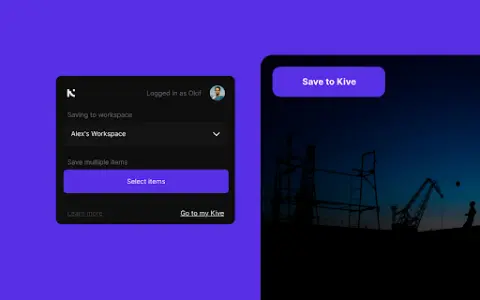
Use the Save to Kive browser extension to directly save images and content from web pages into your Kive workspace. Click the “Save to Kive” button on an image, or right-click and select the relevant option from the menu. Alternatively, use the Kive button in the browser to save all the images on the page. In Kive, you can create manual boards to organize your creative ideas and share presentations with collaborators and clients.
The core functions of the Kive AI Chrome extension/plug-in
AI-driven tagging and organization systems
Magically sorted onto the board.
Powerful search functionality
Team collaboration features
Board creation display
Magically sorted onto the board.
Powerful search functionality
Team collaboration features
Board creation display
Related
Free Qwen AI
The advanced AI language model launched by Alibaba Cloud is used for various tasks.
YouCam AI & AR Business Solutions
Provide AI and AR solutions in the fields of beauty, fashion, and skin technology, including virtual makeup trials.
Apowersoft
Apowersoft offers multimedia and online business solutions for content creation and management.
Skin Cancer Image Search
A Chrome extension that compares images of moles with a database of skin cancer cases.
VitAI – Your Pocket Nutrition Assistant
An AI-powered nutrition assistant for analyzing meals and tracking nutritional content.
Doclime
AI tools communicate with PDF files to extract information and obtain immediate responses.