AI TOOL / #06308
YouTube Transcript Generator
Extract and display the subtitles of YouTube videos, making it easy to access and review them.
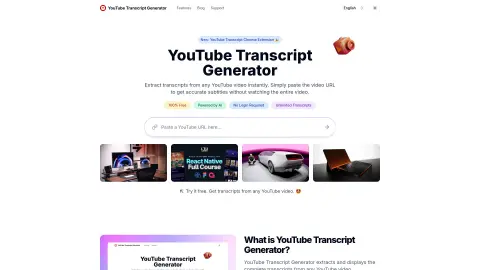
Introduction
Extracts and displays YouTube video transcripts for easy access and review.
What is the YouTube Transcript Generator?
The YouTube Subtitle Generator extracts and displays the complete transcript of any YouTube video. It allows you to quickly access, read, and save the content of a video without having to watch the entire video itself – making it much easier for you to find specific information or review the content at your own pace.
How to use the YouTube Transcript Generator?
1. Copy the URL of the YouTube video. 2. Enter the URL in the input box and click the “Transcript” button. 3. View, search for, or download the transcript in the format of your choice.
The core functions of the YouTube Transcript Generator
Extracting transcripts from any YouTube video
Supports multiple download formats (TXT, DOCX, VTT, SRT).
Provide searchable text transcripts.
Applicable to any publicly available YouTube video.
Provides unlimited access, with no daily restrictions.
No login required
Supports multiple download formats (TXT, DOCX, VTT, SRT).
Provide searchable text transcripts.
Applicable to any publicly available YouTube video.
Provides unlimited access, with no daily restrictions.
No login required
Related
Avoma Scheduler
Avoma automates meeting tasks, providing notes, transcripts, and insights.
AutoPod
An Adobe Premiere Pro plugin for automatic video podcast editing.
AI Voiceover for Video Creators
An AI dubbing tool that enables accurate text-to-speech conversion, specifically designed for video creators.
Hello Audio
Convert content into private podcasts for anytime listening and increased engagement.
UniScribe
UniScribe is an artificial intelligence-based platform for audio and video transcription, summary generation, and mind map creation.
Voice Control for Disney+
The voice control feature on Disney+ allows you to play, pause, and fast-forward content.